Basic Computer Skills – The Complete Guide for Beginners
Published: 9 Feb 2026

In today’s digital world, basic computer skills are no longer optional—they are essential for professional success, academic growth, and daily life. Whether you’re a student, professional, or job seeker, mastering fundamental computer skills helps you work efficiently, communicate effectively, and stay competitive.
This guide covers 21 must-know computer skills in 2026, along with practical tips, tools, and hidden insights that most competitors miss.
Why Basic Computer Skills Matter
Having a strong foundation in computer skills helps you:
- Save time and increase productivity
- Communicate professionally through email and messaging apps
- Organize and manage information efficiently
- Adapt to new technology quickly
- Stand out in the job market with digital literacy
1. Microsoft Word Basics
Microsoft Word is the standard tool for creating and editing documents.
Key skills to master:
- Creating, editing, and formatting documents
- Using tables, headers, and footers
- Inserting images, charts, and links
- Converting PDFs to Word or PowerPoint for presentations
- Using accessibility and feedback tools
Pro Tip: Competitors often skip free alternatives. Try Google Docs, LibreOffice Writer, or WPS Office for free, cloud-based document editing.
2. Collaborating in Word

Work smarter with real-time collaboration:
- Share documents via OneDrive or SharePoint
- Control permissions: edit, comment, or view only
- Use Track Changes and comments for feedback
- Collaborate online with Google Docs
3. Microsoft Excel Basics
Excel helps organize, calculate, and visualize data.
Essential skills:
- Enter data in rows and columns
- Use formulas like SUM, AVERAGE, and IF
- Format cells for better readability
- Create charts and graphs
- Work with multiple sheets
Hidden Tip: Learn Power Query and Power Pivot for advanced data handling that competitors often skip.
4. Advanced Excel Skills

- Formulas & Functions: Automate calculations with VLOOKUP, COUNTIF, CONCAT, and conditional logic
- PivotTables & Charts: Summarize and analyze large data sets interactively
- Data Visualization: Use charts, conditional formatting, and dashboards for better insights
5. Microsoft PowerPoint Basics

PowerPoint is key for presentations:
- Create and customize slides
- Add images, videos, charts, and animations
- Apply consistent themes and layouts
- Share presentations online or offline
Pro Tip: Explore Google Slides or LibreOffice Impress for free collaboration features.
6. Microsoft Outlook & Email Management
Email is essential for professional communication:
- Organize inbox with filters and folders
- Schedule meetings with calendar integration
- Save contacts and manage tasks
- Integrate with Teams for smooth collaboration
7. Task Management Tools
Stay productive using digital tools:
- Apps like Trello, Asana, Todoist, or Microsoft To Do
- Visualize tasks with boards, lists, or timelines
- Assign tasks and set deadlines
- Integrate with calendars and emails
8. Using Digital Calendars Effectively

- Schedule events and tasks
- Set reminders and recurring events
- Color-code for priority and clarity
- Share calendars for team coordination
Pro Tip: Competitors rarely mention time-blocking—use it to increase focus and productivity.
9. Video Conferencing Skills

Video calls are standard in remote work:
- Platforms: Zoom, Microsoft Teams, Google Meet
- Features: screen sharing, chat, recording, virtual backgrounds
Tips: mute when not speaking, use proper lighting, and test audio/video
10. Online Learning Skills

Learn continuously online:
- Platforms: Coursera, Udemy, One Education
- Take courses for free or low cost
- Earn certificates for career growth
- Use interactive quizzes and forums to retain knowledge
11. Instant Messaging & Online Calls

- Apps: WhatsApp, Slack, Microsoft Teams, Messenger
- Real-time chat, voice, and video calls
- Share files and collaborate instantly
- Ensure privacy with end-to-end encryption
12. Basic Photoshop Skills
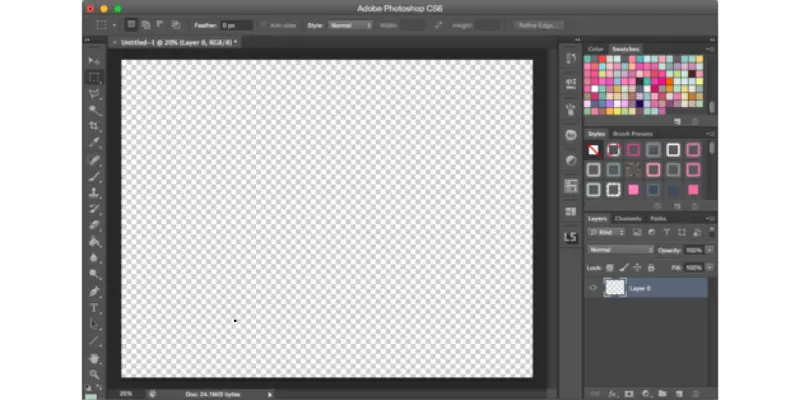
Image editing is key for digital content:
- Layer-based editing and masking
- Color correction, filters, and retouching
- Digital painting and graphic creation
Pro Tip: Free alternatives like Canva, Pixlr, and GIMP are beginner-friendly.
13. Cloud Storage & Collaboration
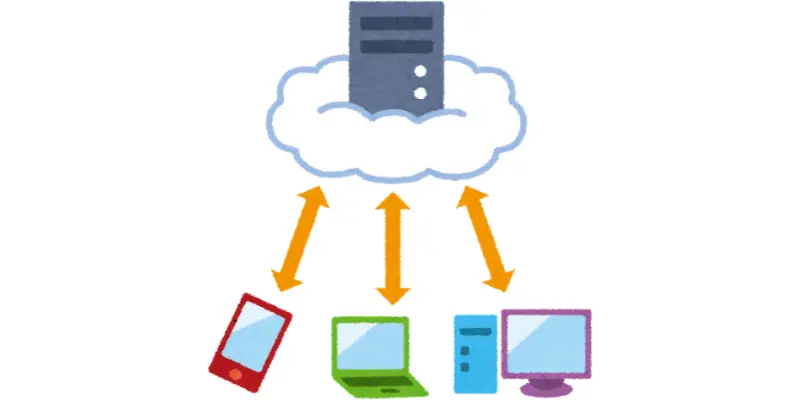
- Google Drive, Dropbox, OneDrive
- Store files securely and access from anywhere
- Collaborate on documents in real-time
- Automatic backup and syncing
14. Web Searching Skills

- Use keywords, Boolean operators, and quotation marks
- Evaluate sources for credibility
- Apply filters (date, site, file type)
- Plan search queries for accurate results
Hidden Tip: Learn advanced Google search operators like intitle: and filetype: for precision.
15. Basic Troubleshooting Skills

- Identify problems clearly
- Test solutions systematically
- Restart devices, check connections, update software
- Document issues for future reference
16. Fast & Accurate Typing

- Learn touch typing with all ten fingers
- Practice posture and ergonomics
- Use software like Typing.com or Rapid Typing
- Track progress with regular WPM tests
17. Proofreading & Editing

- Check spelling, grammar, and punctuation
- Maintain consistent style and formatting
- Use tools like Grammarly or MS Word Editor
18. Minute Taking

- Capture key points, decisions, and action items
- Use structured templates
- Share promptly for accountability
19. Web Browsers

- Navigate efficiently with Chrome, Firefox, Edge, or Safari
- Use bookmarks, tabs, private mode, and extensions
- Manage downloads and settings securely
20. Adaptability to New Technology

- Embrace AI tools, cloud software, and digital collaboration
- Stay up-to-date with new software and trends
- Be flexible in learning new systems
21. Soft Skills That Complement Computer Skills

- Digital communication etiquette
- Online research and information validation
- Problem-solving and critical thinking
- Collaboration in virtual teams
How to Improve Your Computer Skills
- Practice regularly and explore software hands-on
- Take beginner-friendly online courses
- Avoid common mistakes like skipping fundamentals
- Share your skills on your resume and LinkedIn
Conclusion
Mastering basic computer skills is crucial for career growth, productivity, and personal efficiency. By learning software tools, online communication, cloud storage, troubleshooting, and web skills, you’ll gain a strong digital foundation and stand out professionally. Start practicing today and stay ahead in the ever-evolving digital world.
FAQs About Basic Computer Skills
Skills like using Microsoft Office, browsing the web, managing files, sending emails, and basic troubleshooting.
They improve productivity, communication, and employability in almost every field.
Google Docs, Sheets, Slides, Canva, Pixlr, LibreOffice, and free courses on Udemy or Coursera.
Use touch typing software like Typing.com and take regular speed tests.
Follow tech blogs, take online courses, and practice new software tools regularly.


- Be Respectful
- Stay Relevant
- Stay Positive
- True Feedback
- Encourage Discussion
- Avoid Spamming
- No Fake News
- Don't Copy-Paste
- No Personal Attacks
- Be Respectful
- Stay Relevant
- Stay Positive
- True Feedback
- Encourage Discussion
- Avoid Spamming
- No Fake News
- Don't Copy-Paste
- No Personal Attacks
