Types of Computer Monitors – A Complete Guide
Published: 6 Feb 2026
If you’ve ever searched for a new monitor, you probably noticed how confusing it can get. LCD, LED, OLED, curved, gaming, 4K—what does it all actually mean?
Don’t worry. You’re not alone
In this guide, I’ll walk you through all the types of computer monitors in simple, friendly language, explain what each one is best for, and help you pick the right monitor without stress or tech jargon.
What Is a Computer Monitor?

A computer monitor is an output device that shows everything your computer is doing—text, images, videos, games, and more. It works with your computer’s graphics card to turn digital data into visuals you can see on the screen.
Think of the monitor as your computer’s window to the digital world.
Types of Computer Monitors (Quick Look)
Here’s a quick overview before we go deeper:
| Monitor Type | Best For |
| CRT | Old systems, retro gaming |
| LCD | Students, basic tasks |
| LED | Home and office use |
| OLED | Designers, premium users |
| Gaming Monitors | Fast-paced gaming |
| Curved Monitors | Immersive viewing |
| Ultrawide Monitors | Multitasking |
| Touchscreen | Interactive work |
| 4K / 8K Monitors | Creative professionals |
| Portable Monitors | Travel and remote work |
1. CRT (Cathode Ray Tube) Monitors

CRT monitors are the old-style, bulky monitors you may remember from older offices or schools. They use electron beams to create images on a thick glass screen.
Why People Used Them
- Very fast response time
- Good color accuracy
Why They’re Rare Today
- Heavy and take up a lot of space
- Consume more electricity
- Replaced by flat-screen monitors
Best for: Retro gaming and very old systems
Not ideal for: Modern homes or offices
2. LCD (Liquid Crystal Display) Monitors

LCD monitors were the first flat-screen monitors and changed everything. They use liquid crystals and a backlight to show images.
Why People Like LCD Monitors
- Slim and lightweight
- Affordable
- Energy efficient
Things to Keep in Mind
- Contrast is lower than OLED
- Viewing angles depend on panel type
Best for: Students, everyday use, basic office work
3. LED (Light Emitting Diode) Monitors
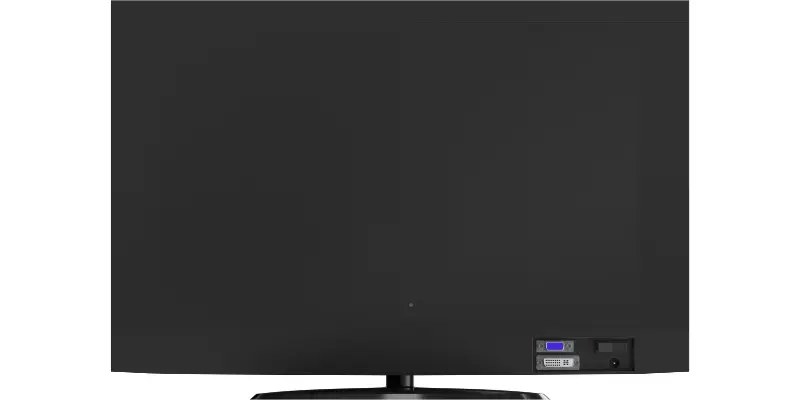
LED monitors are actually improved LCD monitors. The main difference is that they use LED lights for backlighting, which makes them better overall.
Why LED Monitors Are So Popular
- Brighter screens
- Better contrast
- Longer lifespan
- Lower power usage
Downsides
- Slightly more expensive than LCD
Best for: Home, office, and professional use
This is the most common monitor type today
4. OLED (Organic Light Emitting Diode) Monitors

OLED monitors are considered top-tier display technology. Each pixel lights up on its own, which creates amazing picture quality.
What Makes OLED Special
- True black colors
- Stunning contrast
- Super smooth motion
Things to Consider
- Expensive
- Rare chance of screen burn-in
Best for: Designers, video editors, and gamers who want the best visuals
5. Gaming Monitors

Gaming monitors are built for speed and smooth performance, not just looks.
Key Features
- High refresh rates (144Hz, 240Hz, or more)
- Very low response time (1ms)
- Adaptive sync (G-Sync or FreeSync)
Best for: Casual and competitive gamers
Tip: A high refresh rate matters more than resolution for gaming
6. Curved Monitors

Curved monitors gently wrap around your field of view, making the experience feel more natural and immersive.
Why People Love Them
- More immersive
- Less eye movement
- Reduced glare
Downsides
- Needs more desk space
- Slightly higher cost
Best for: Gaming, movies, long work sessions
7. Ultrawide Monitors
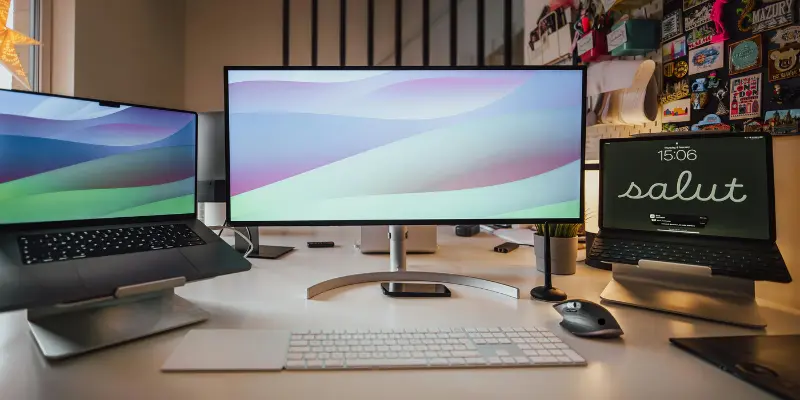
Ultrawide monitors give you extra screen space without using two monitors.
Benefits
- Great for multitasking
- Cleaner desk setup
- Excellent for editing and coding
Limitations
- Some apps don’t scale perfectly
- Needs a decent graphics card
Best for: Professionals, content creators, multitaskers
8. Touchscreen Monitors

Touchscreen monitors let you interact with your computer by touching the screen, just like a phone or tablet.
Pros
- Easy and intuitive
- Great for drawing and presentations
Cons
- Fingerprints on the screen
- Not ideal for typing
Best for: Education, design work, kiosks, presentations
9. 4K and 8K Monitors

These monitors focus on extremely high resolution, meaning sharper images and more detail.
Why Choose 4K or 8K?
- Crystal-clear visuals
- More workspace on screen
Things to Know
- More expensive
- Needs powerful hardware
Best for: Video editing, photography, graphic design
10. Portable Monitors
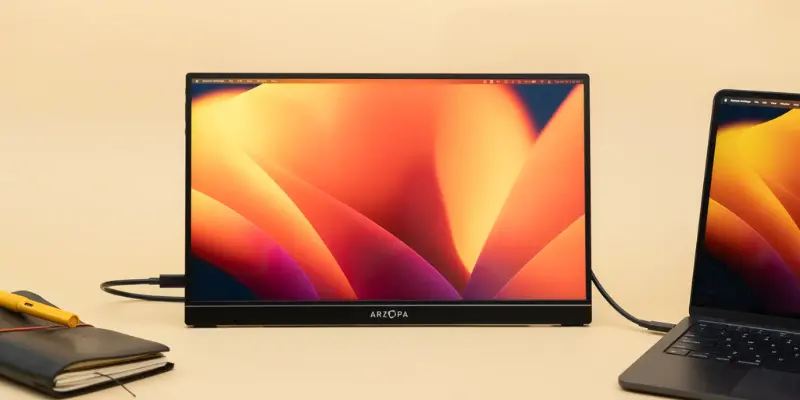
Portable monitors are lightweight and easy to carry, perfect for people on the move.
Why They’re Useful
- Easy to travel with
- Adds a second screen anywhere
Limitations
- Smaller size
- Lower brightness
Best for: Remote workers, students, travelers
Monitor Panel Types
Panel type affects how your monitor looks and feels:
| Panel Type | Best Feature |
| IPS | Best colors & viewing angles |
| VA | Deep contrast |
| TN | Fastest response time |
IPS panels are best for most users.
How to Choose the Right Monitor (Simple Checklist)
Ask yourself:
- What will I use it for? (work, gaming, study)
- How big is my desk?
- Do I want better visuals or faster performance?
- What’s my budget?
| Advantages of Modern Computer Monitors |
|---|
|
| Disadvantages of Monitors |
|---|
|
Frequently Asked Questions (FAQs)
The most common types are LCD and LED monitors because they are affordable, reliable, and suitable for everyday use.
LED monitors are a type of LCD monitor but use LED backlighting, which makes them brighter, thinner, and more energy-efficient.
Gaming monitors with high refresh rates and low response times are best. OLED and curved monitors also offer great gaming experiences.
Yes, if you want excellent image quality and smooth performance. They’re ideal for professionals and serious gamers.
No. Curved monitors are designed to reduce eye strain by matching the natural curve of your vision.
A 24-inch Full HD LED or LCD monitor is affordable, space-saving, and perfect for studying.
Yes. They’re great for remote work, travel, and multitasking on the go.
Most modern monitors last 5–10 years, depending on usage and care.
Final Thoughts
At the end of the day, choosing the right computer monitor doesn’t have to be confusing. Once you understand the different types of computer monitors, it becomes much easier to pick one that fits your needs.
Whether it’s a basic LED monitor for daily work, a high-refresh-rate gaming monitor, or a stunning OLED display for creative tasks, the best choice is the one that matches how you actually use your computer.
Make a thoughtful choice today, and you’ll enjoy better comfort, productivity, and visuals every time you turn on your screen.



- Be Respectful
- Stay Relevant
- Stay Positive
- True Feedback
- Encourage Discussion
- Avoid Spamming
- No Fake News
- Don't Copy-Paste
- No Personal Attacks
- Be Respectful
- Stay Relevant
- Stay Positive
- True Feedback
- Encourage Discussion
- Avoid Spamming
- No Fake News
- Don't Copy-Paste
- No Personal Attacks
